Home  /  Packs  /  Interiors

Coming soon to the Unity Asset Store

Voxel City: Interiors

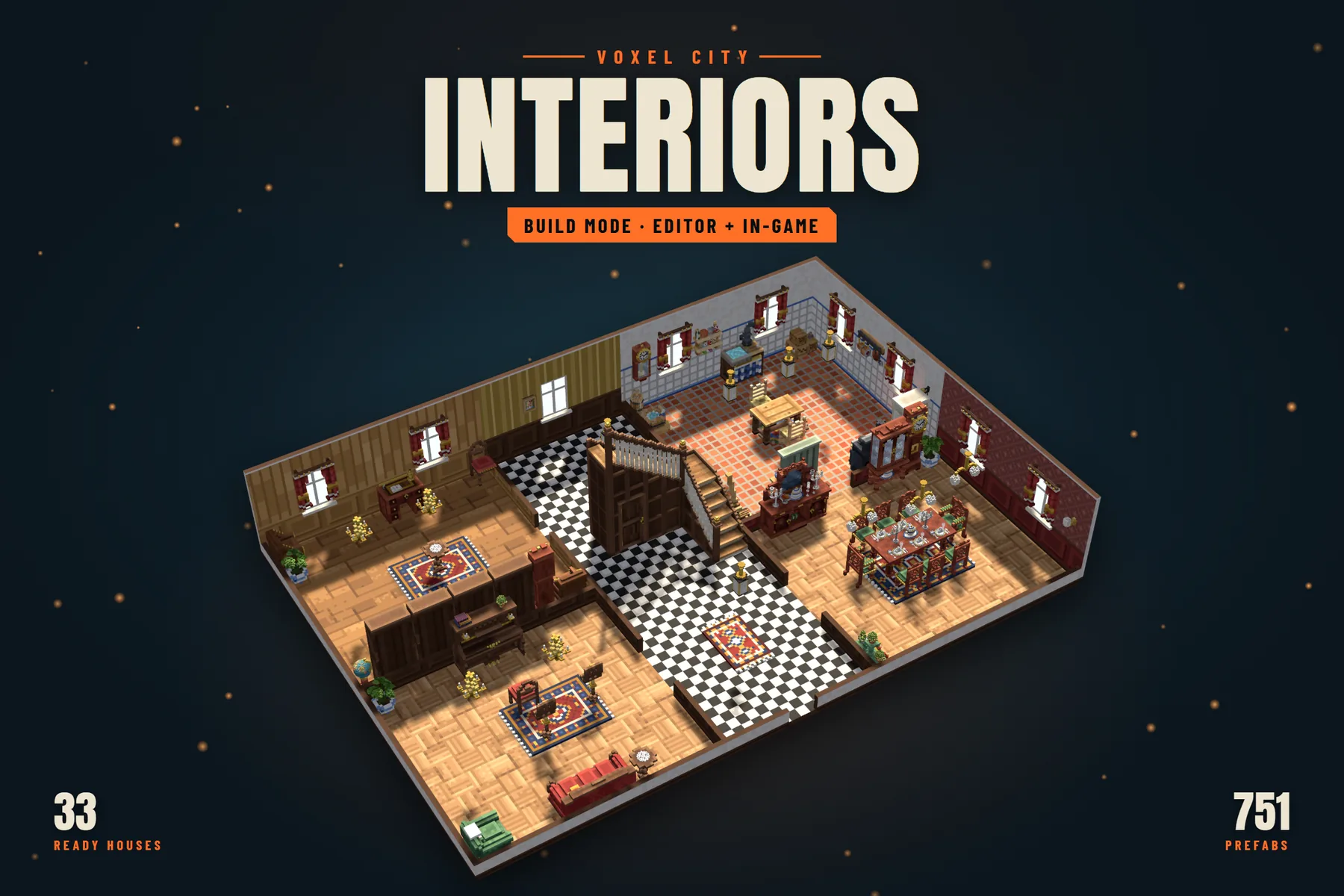
Furnished voxel interiors and Build Mode, the Editor tool that makes them. Draw rooms, add storeys, stairs, doors and windows, paint walls, floors and ceilings, furnish from 465 pieces, then press Walk and go inside, where doors, drawers, taps, fires and clocks all work. 33 houses and shops come ready to walk through or change.

Ships with 33 furnished houses, each a Build Mode plan with its own scene, and 128 furnished interior prefabs, floor by floor. Works with or without Voxel City.

Store link coming soon See the gallery

At a glance

  • 751Prefabs
  • 33Furnished houses
  • 465Pieces to place
  • 151Come alive

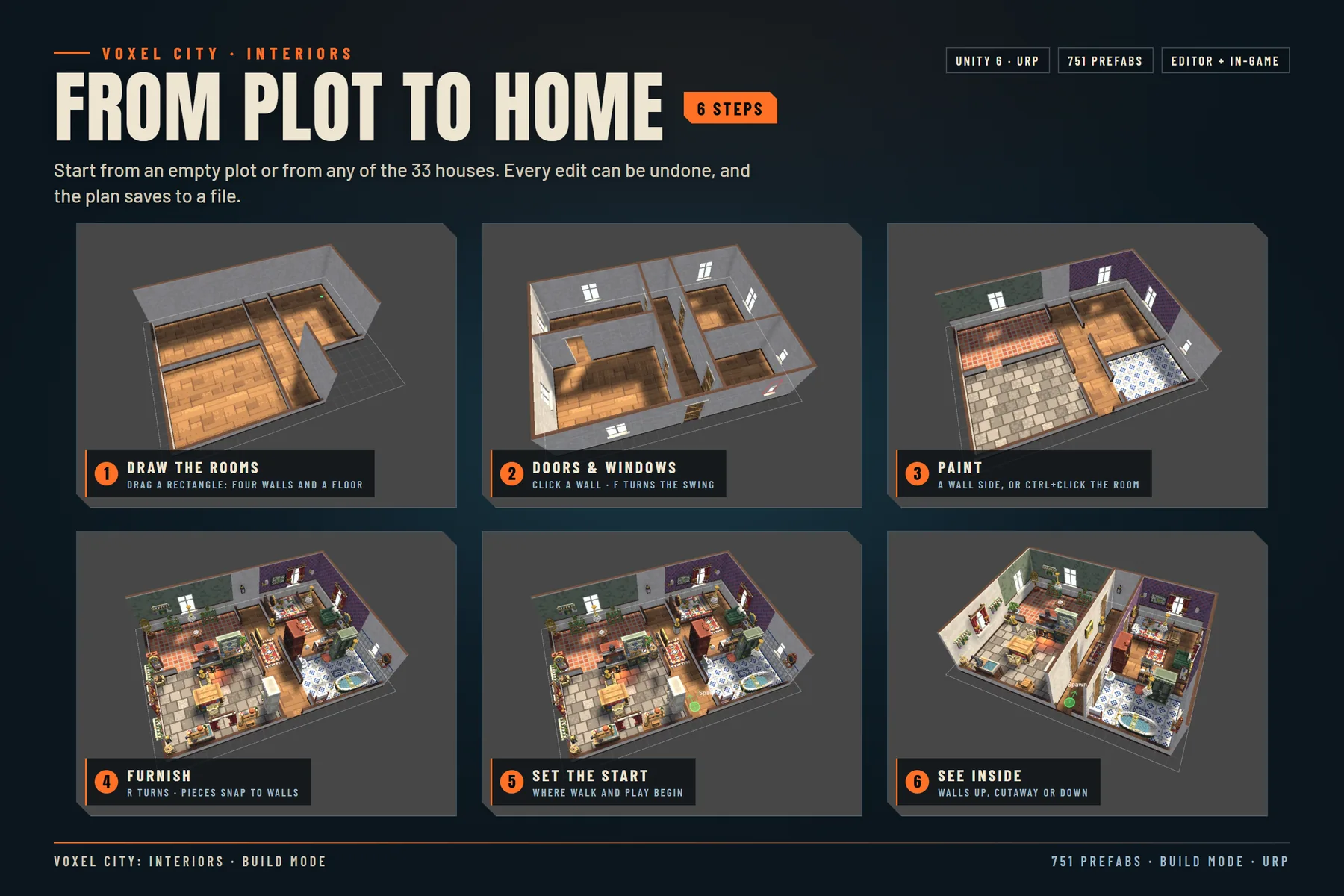
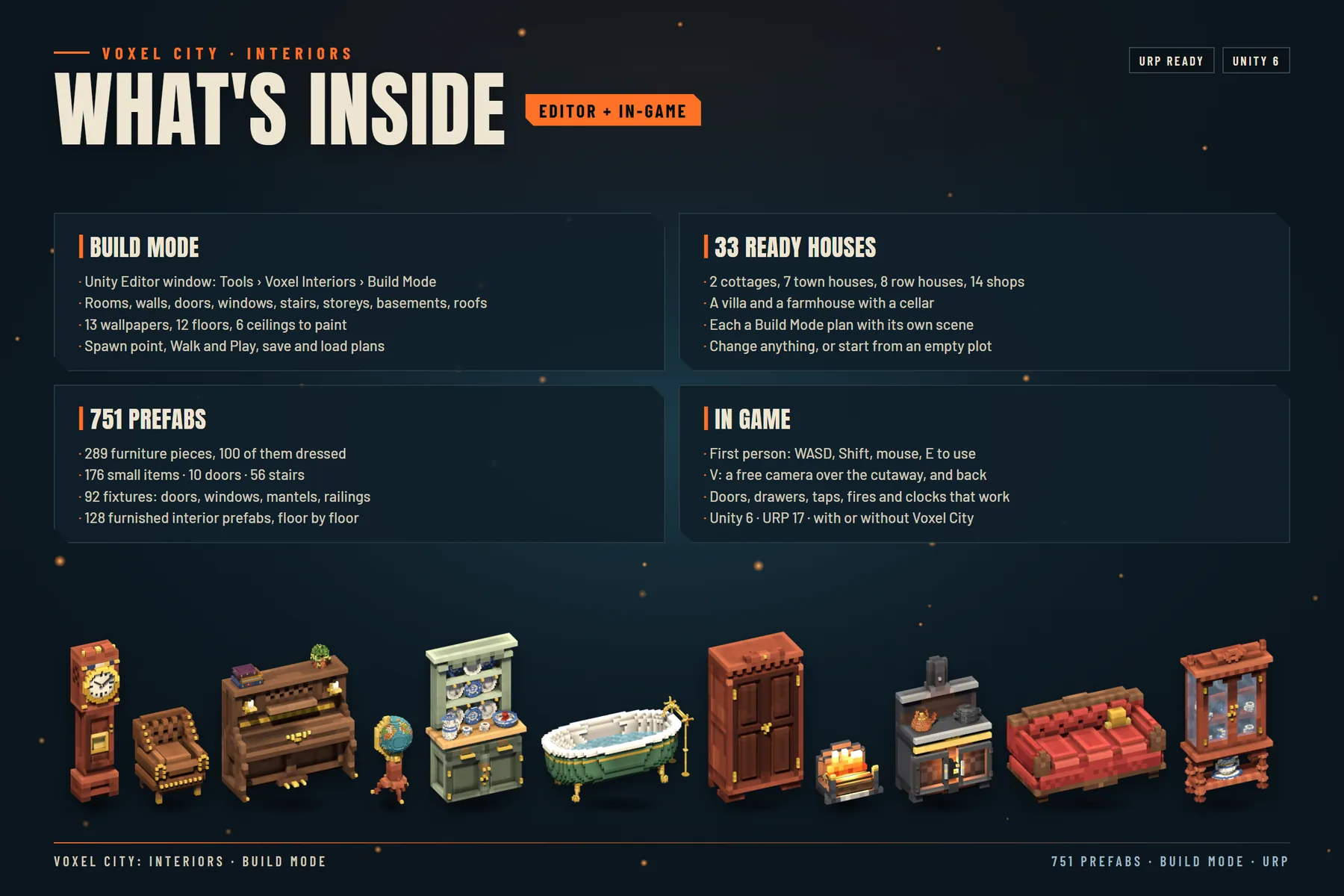
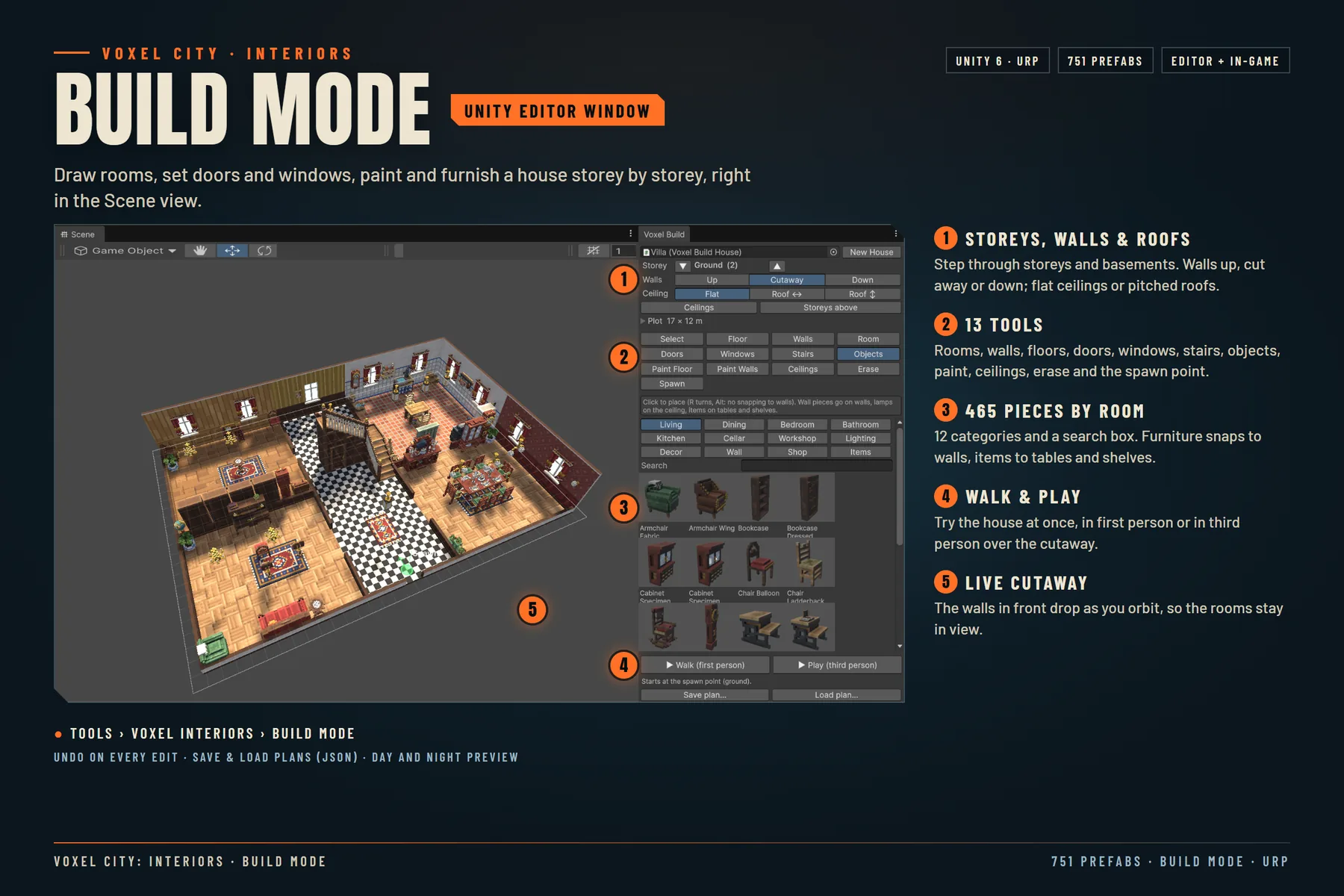
Voxel City: Interiors is a set of 751 voxel prefabs for the inside of homes and shops (289 furniture pieces, 176 small items, 92 fixtures, 10 interior doors, 56 stairs and 128 furnished interiors) and Build Mode, a Unity Editor window (Tools > Voxel Interiors > Build Mode) to lay them out. Its 13 tools draw rooms and walls, place doors, windows and stairs, furnish, paint floors and walls, set ceilings, erase, select and set the spawn point, on storeys and basements you step through. Every edit can be undone, and plans save and load as JSON.

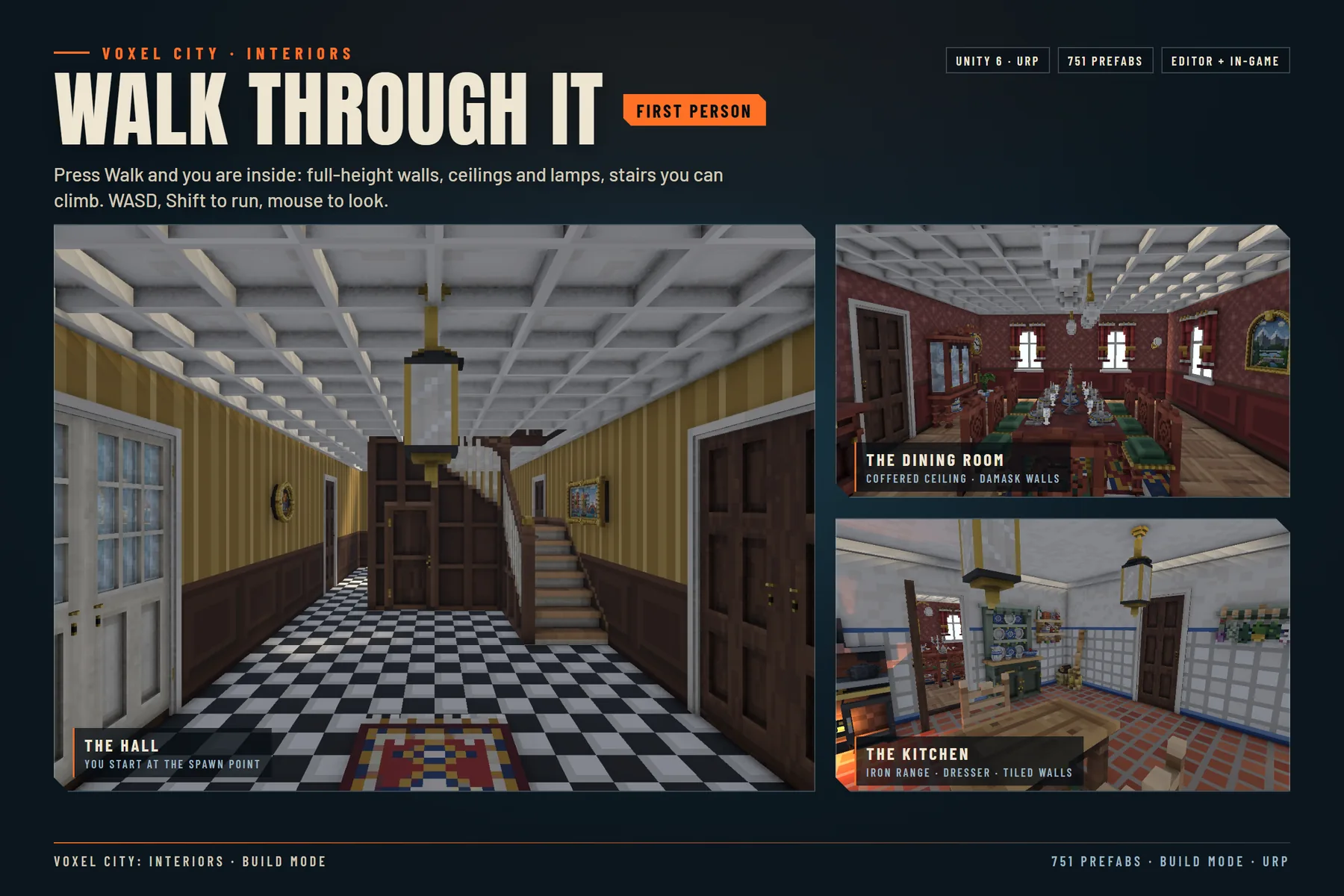
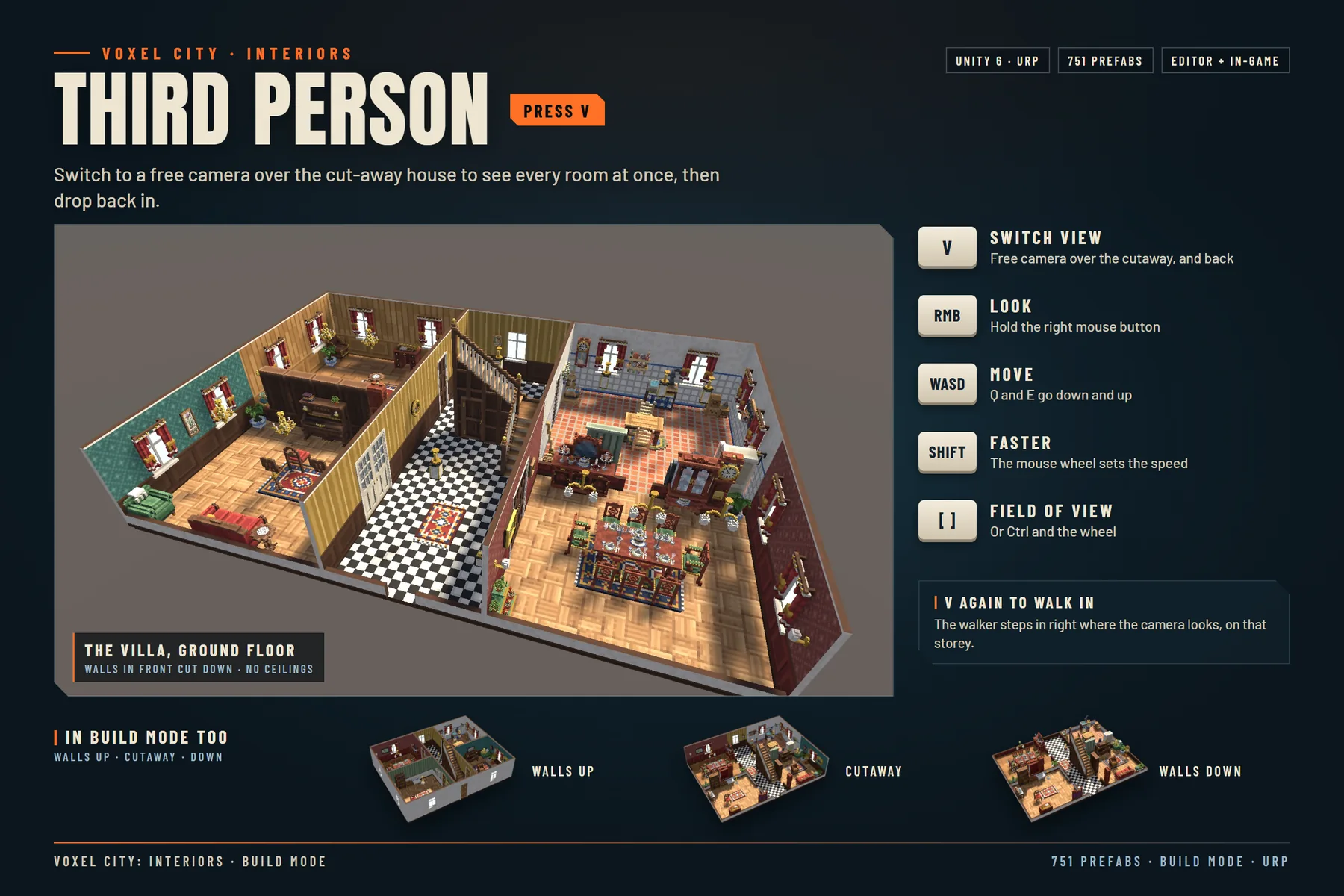
Press Walk and you are inside, in first person: full-height walls, ceilings and lamps, stairs you can climb, WASD to move, Shift to run and the mouse to look. Look at a door, a drawer, a tap or a fire and press E. Press V for a free camera over the cut-away house, and V again to step back in where the camera looks. In your own game, VoxelBuildPlay.Begin starts the same walk from a script.

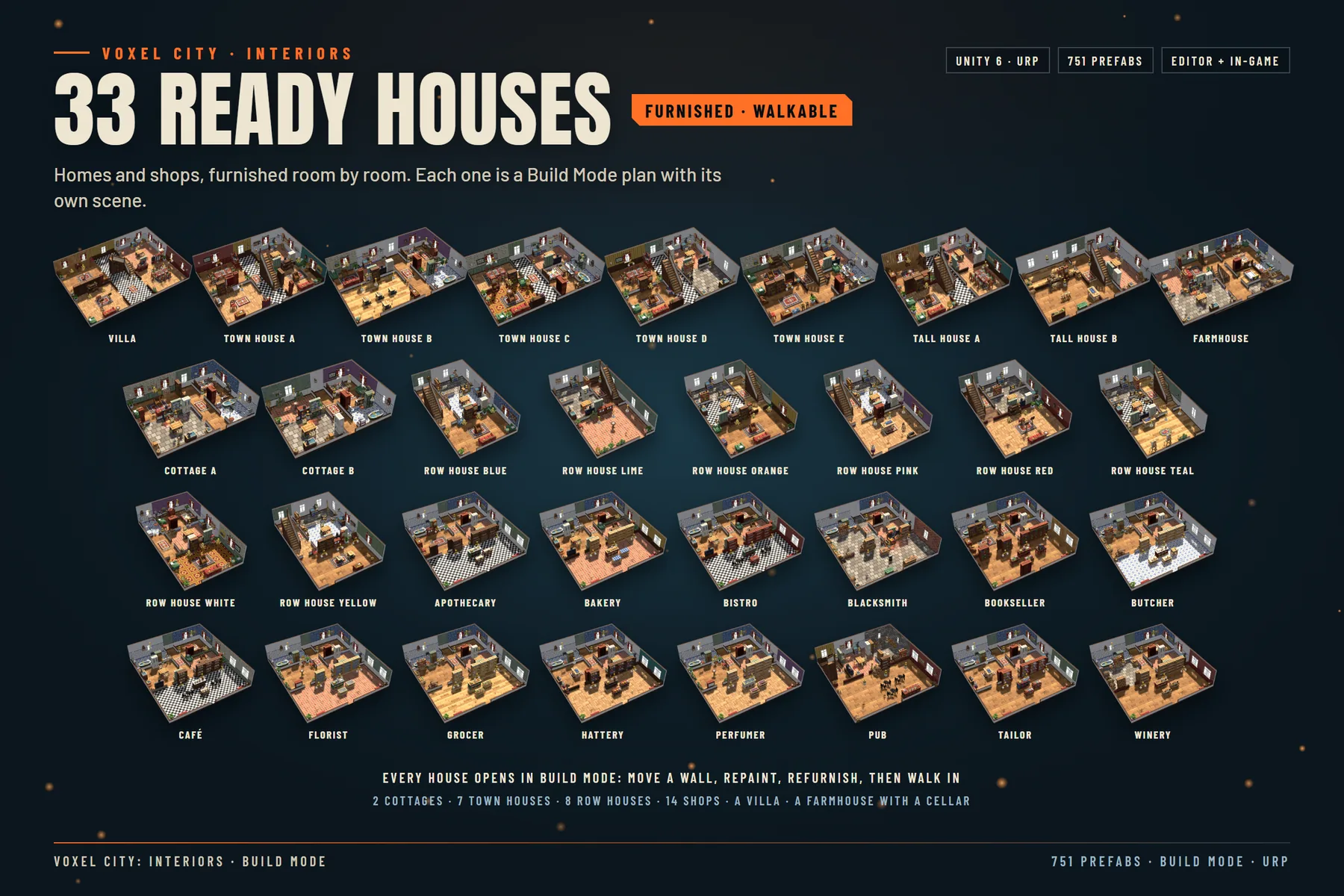
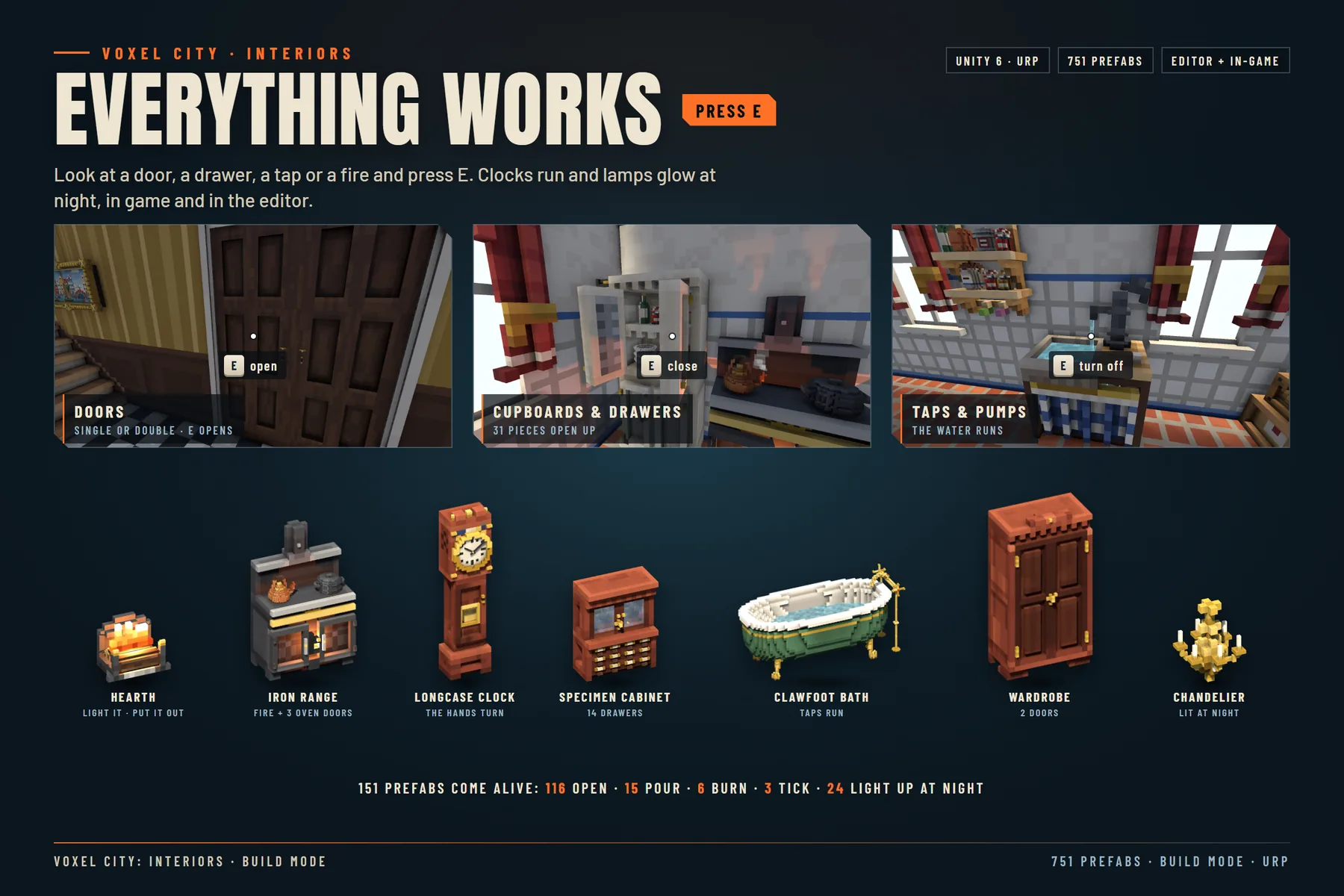
151 prefabs come alive, and some do more than one thing: 116 open (27 doors, 35 windows, 52 pieces of furniture and 2 stairs with a cupboard), 15 pour (taps, a pump, a barrel, the pub counter and a coffee pot), 6 burn, 3 clocks tick and 24 lamps light up at night with VoxelInteriors.SetNight(true, 3f). The 33 ready houses (2 cottages, 7 town houses, 8 row houses, 14 shops, a villa and a farmhouse with a cellar) open in Build Mode, so you can move a wall, repaint, refurnish and walk in. The pack stands alone and needs only URP; Voxel City is not required.

  • Build Mode in the Editor: 13 tools for rooms, walls, floors, doors, windows, stairs, objects, paint, ceilings and the spawn point, with undo on every edit
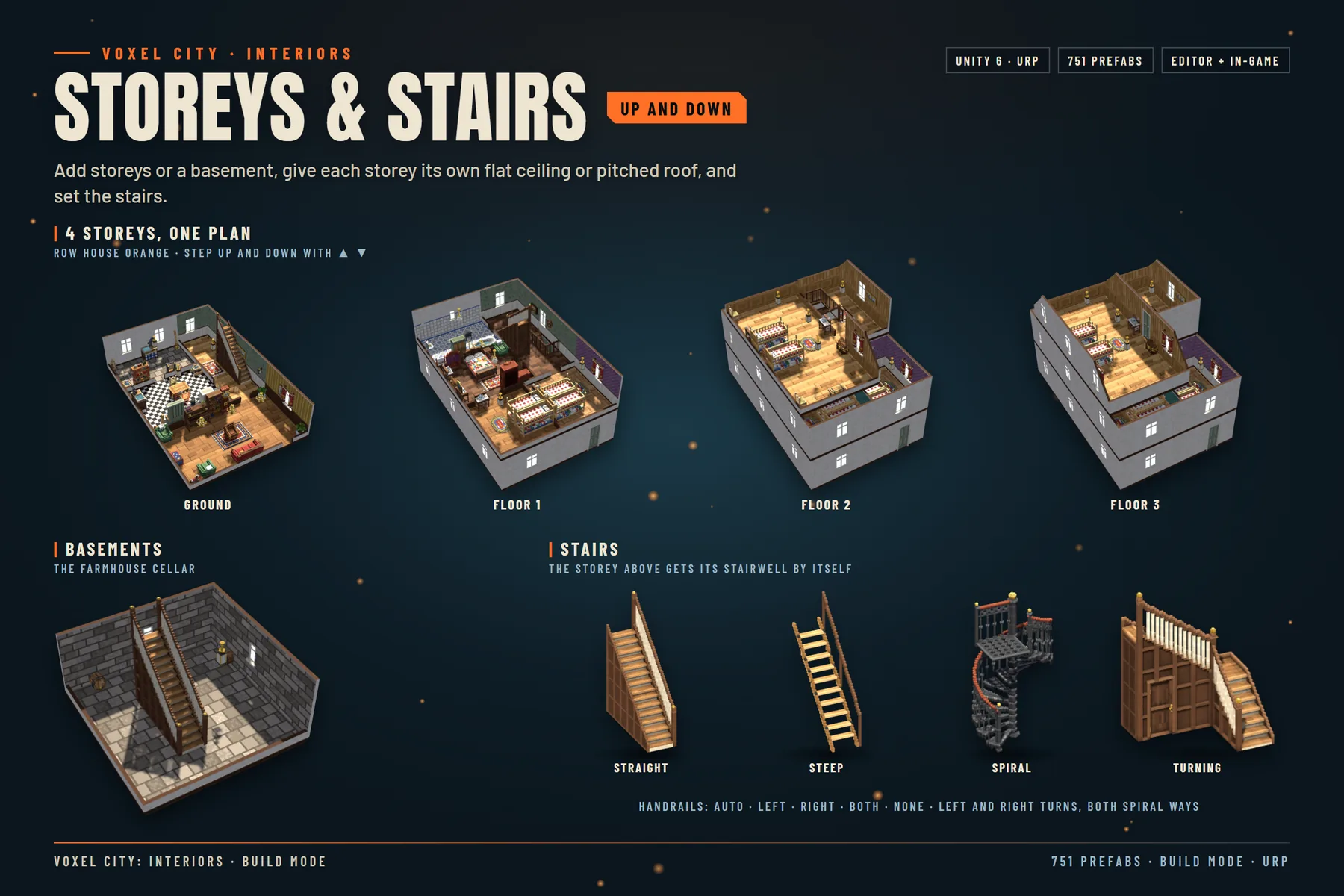
  • Storeys, basements and roofs: step up and down through the storeys, give each a flat ceiling or a pitched roof, and the storey above gets its stairwell by itself
  • 56 stairs: straight and steep flights, left and right quarter turns, spirals both ways and a loft ladder, with handrails Auto, Left, Right, Both or None
  • Furnish by room: 465 pieces in 12 categories with a search box; furniture snaps to walls, small items to tables and shelves
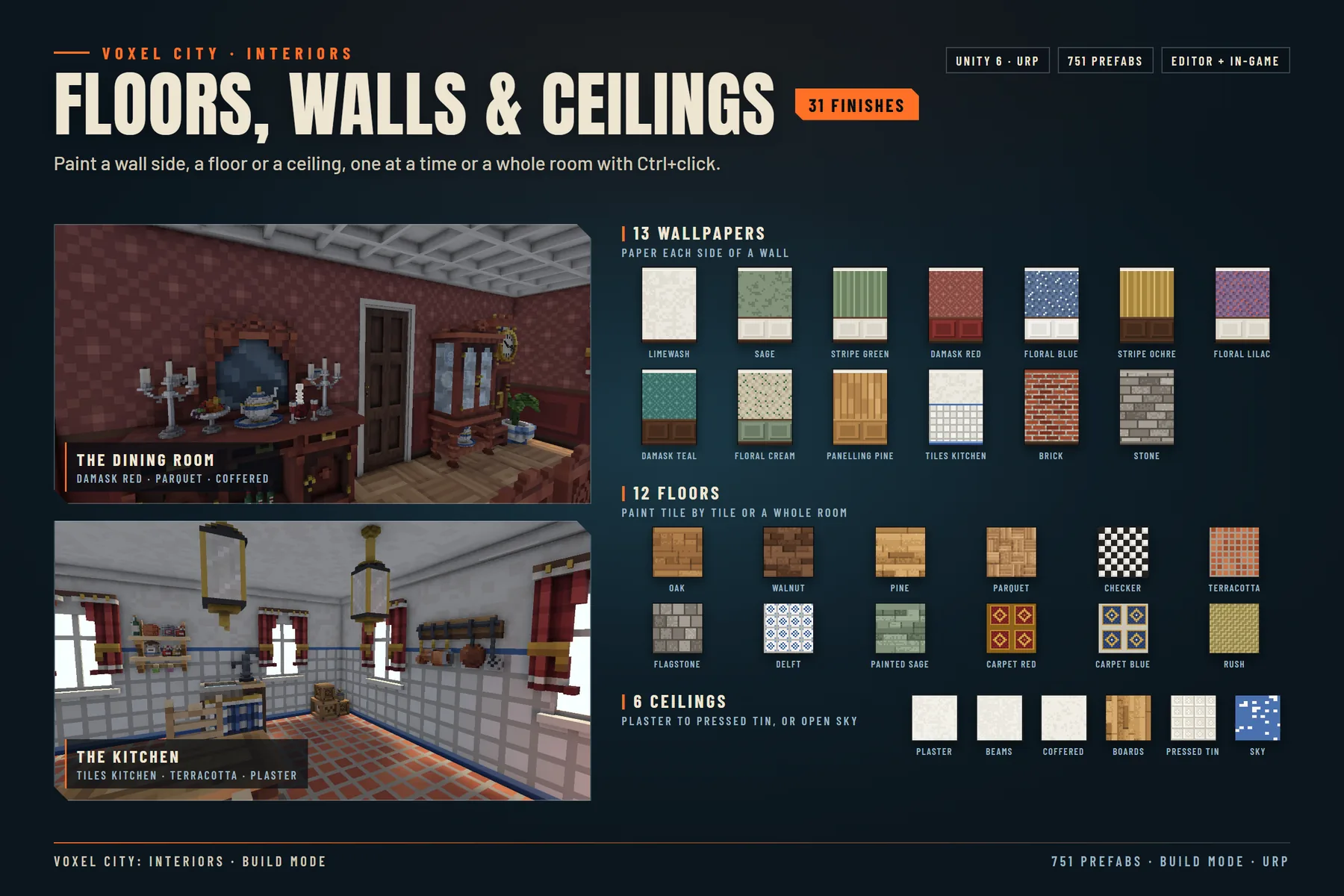
  • 31 finishes: 13 wallpapers, 12 floors and 6 ceilings, painted one wall side, one tile or a whole room at a time
  • Walk and play: first person with WASD, Shift and the mouse, E to use, V for a free camera over the cutaway
  • Everything works: doors, drawers, taps, fires and clocks, and lamps that light up at night, in game and in the Editor
  • Plans as JSON: save and load any house, or start from an empty plot

Contents

751 prefabs and 31 finishes

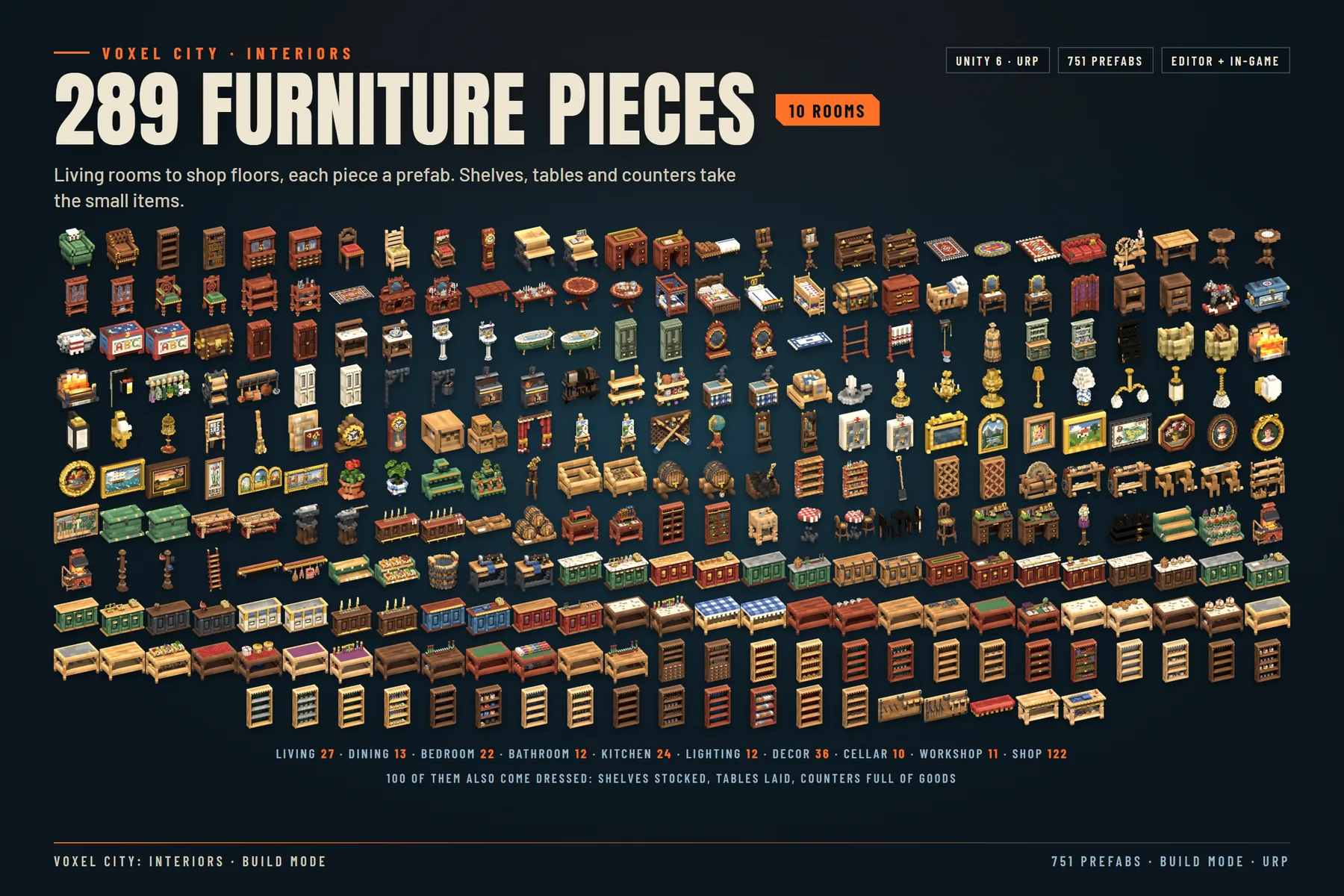
Furniture 289

Ten rooms' worth, each piece a prefab. 100 of them also come dressed, with shelves stocked, tables laid and counters full of goods. Shop (122), Decor (36), Living room (27), Kitchen (24), Bedroom (22), Dining room (13), Bathroom (12), Lighting (12), Workshop (11), Cellar (10).

Small items 176

Tableware, food, books, tools and shop goods to set on tables and shelves, or to place by hand. Shop goods (54), Kitchen (29), Food (16), Books (14), Desk (12), Bedroom (11), Bathroom (10), Decor (10), Workshop (9), Dining (8), Storage (3).

Fixtures 92

Doors and windows set in the walls, fireplace mantels and stair railings. Doors (17), Windows (35), Mantels (18), Railings (22).

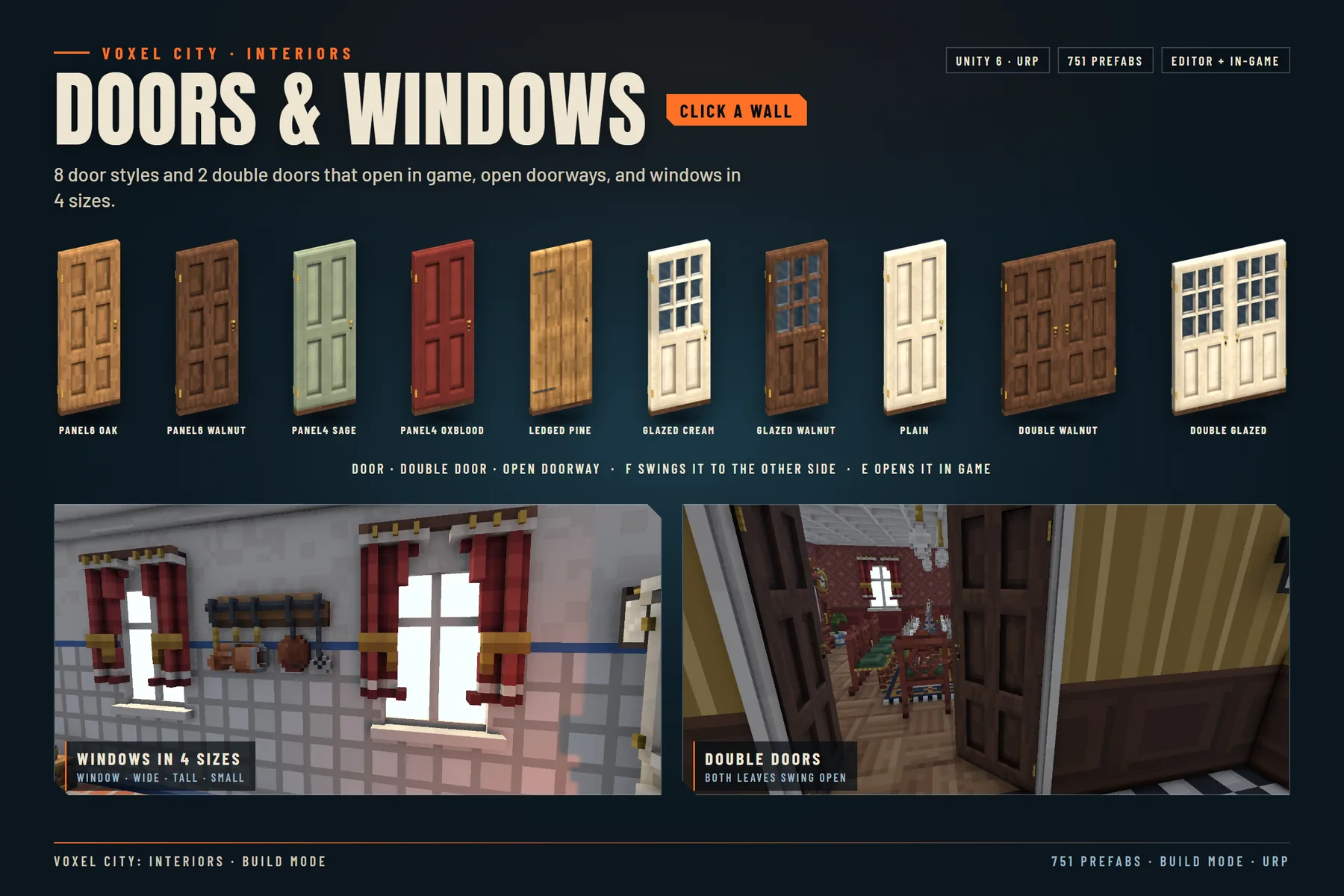
Interior doors 10

Eight door styles and two double doors, all opening in game. Six-panel oak, Six-panel walnut, Four-panel sage, Four-panel oxblood, Ledged pine, Glazed cream, Glazed walnut, Plain, Double walnut, Double glazed.

Stairs 56

Flights, turns and spirals for every storey height, with handrails Auto, Left, Right, Both or None. Straight flights, Steep flights, Left and right quarter turns, Spirals both ways, Loft ladder.

Furnished interiors 128

The 33 ready houses as furnished prefabs, one per floor. Houses (45), Row houses (36), Shops (47).

Build Mode finishes 31

13 wallpapers for each side of a wall, 12 floors to paint tile by tile or room by room, and 6 ceilings for every storey. Brick, Damask Red, Damask Teal, Floral Blue, Floral Cream, Floral Lilac, Limewash, Panelling Pine, Sage, Stone, Stripe Green, Stripe Ochre, Tiles Kitchen, Carpet Blue, Carpet Red, Checker, Delft, Flagstone, Oak, Painted Sage, Parquet, Pine, Rush, Terracotta, Walnut, Plaster, Beams, Coffered, Boards, Pressed Tin, Sky.
Technical details

Specs

Prefabs751: 289 furniture pieces (100 of them dressed), 176 small items, 92 fixtures, 10 interior doors, 56 stairs and 128 furnished interiors
Ready houses33 Build Mode plans, each with its own scene: 2 cottages, 7 town houses, 8 row houses, 14 shops, a villa and a farmhouse with a cellar
Triangles12 to 19,142 per piece (median 438); 8,068 to 129,860 per furnished interior
Grid and scale0.5 m floor tiles, 2.75 m storeys, furniture snaps to 12.5 cm; 1 unit = 1 m, Y up
Shaders5 included URP shaders: VoxelInteriors/Lit, Glass, Water, Smoke and WallCut
Materials92: 55 for the pieces and 37 Build Mode paints and trims
Textures6 atlas pages at 4096 (one of them 4096 × 2048) with emissive twins, plus 37 Build Mode pattern textures (PNG)
AnimationNo AnimationClips: doors, drawers and windows move from script on their pivots; water, smoke and clock hands run in the shader
Scripts22 C# files in the VoxelInteriorsKit namespace: Build Mode, the walk-through, the working parts and the night switch
Demo scenes33 house scenes plus a Build Mode sample, Demo_Build
Made withUnity 6000.4.5f1 and URP 17.4.0

Compatibility

Render pipelines

Universal Render Pipeline: required. The pieces use the five included URP shaders.

Built-in and HDRP: not supported. The shaders are written for URP, so in another pipeline the materials render pink.

In your game: Build Mode is an Editor tool, but the houses it makes are ordinary scene objects that work in a build; their meshes are rebuilt when the scene loads.

Voxel City: not required. The interiors are separate scenes, and a house inside may be larger than the outside of the matching Voxel City building.

FAQ

Before you ask

How do I start building?

Open Tools > Voxel Interiors > Build Mode, start from an empty plot or open one of the 33 houses, and drag a rectangle with the Room tool for four walls and a floor. Click a wall to add a door or a window, then paint, furnish, set the spawn point and press Walk.

How do I walk through a house?

Press Walk in Build Mode to go inside in first person: WASD to move, Shift to run, the mouse to look and E to use. Press V for a free camera over the cutaway, and V again to walk in. In your own game, VoxelBuildPlay.Begin starts the same walk from a script.

What can the player interact with?

Doors, windows, cupboards and drawers open, taps and pumps run, fires light and go out, and clocks keep time: look at it and press E. Doors open only when the player presses E, and the components are plain C#, so you can wire them to your own input or interaction system.

Do the interiors fit inside the Voxel City buildings?

They are made for the same houses and shops, at the same scale, but as separate scenes: a house inside may be larger than the outside of its building, so load it as its own scene rather than inside the exterior.

Can I save and load my plans?

Yes. Every house is a Build Mode plan, and plans save to and load from JSON files.

Do I need Voxel City?

No. The pack stands alone and works in any URP project.

Does it work with the Built-in pipeline or HDRP?

No. The pieces need the Universal Render Pipeline and the five included shaders.

Can I use the pack in a commercial game?

Yes. The pack is sold under the standard Unity Asset Store EULA, which allows use in commercial games. It does not allow reselling or redistributing the assets themselves.

Was AI used to make this pack?

Yes, and the store listing will say so too. The voxel pieces and houses were built by an AI model (Anthropic Claude) that wrote modelling scripts for Blender; no text-to-3D or image-to-3D generator was used. The shaders, Build Mode and the other C# tools, the Unity prefabs, the house scenes and the documentation were made by the same process. The publisher defined the houses and the catalog, made the production decisions and decides what is published. The images and videos on this page are renders of the pack in Unity; none was made with an AI image or video generator.

Pairs well with

Fill the town

The rooms are made for Voxel City's houses and shops, at the scale of its townsfolk. Each pack works on its own and is sold separately.

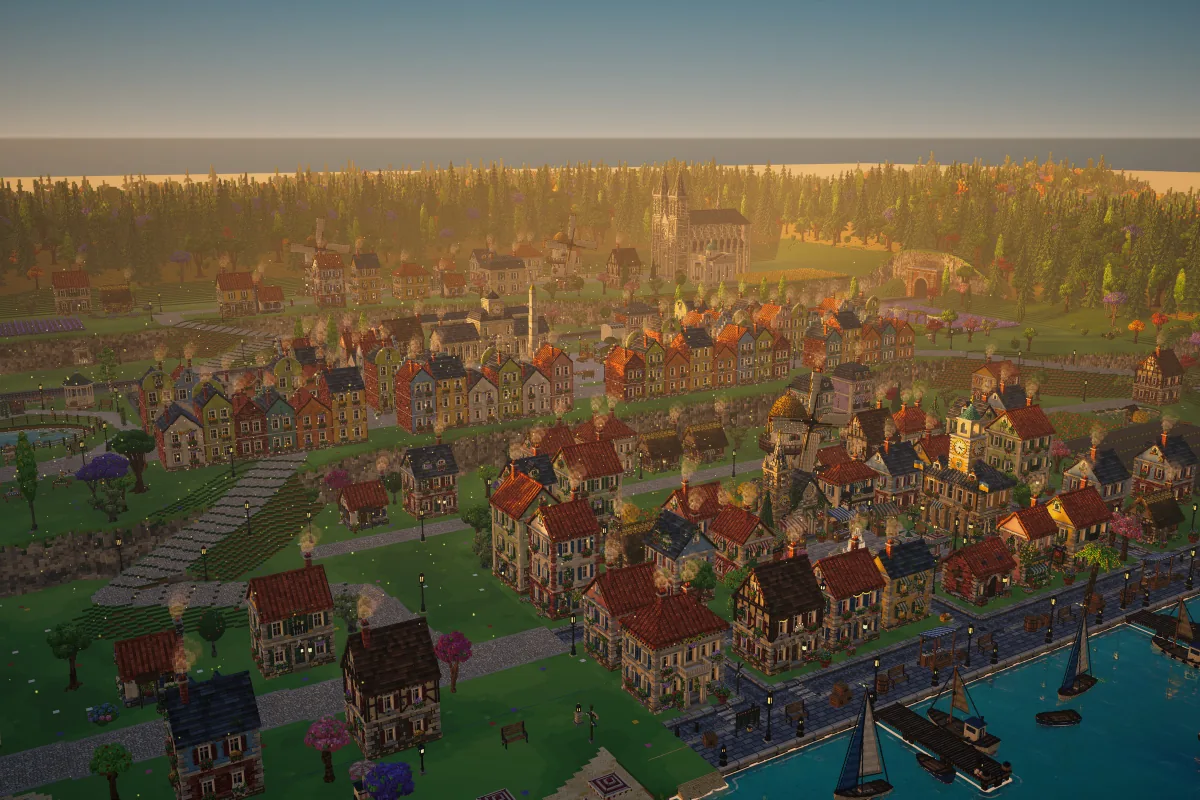
Voxel City site card: a voxel town at golden hour seen from above, with red roofs along a canal with sailing boats, a cathedral and forested hills behind. Coming soon

3D · Environments · Urban

Voxel City: Animated Town

A whole voxel town in 560 prefabs: row houses, shops, landmarks, a fairground, a harbor, a steam train and 264 facade decorations, with stylized water for seas, lakes and rivers. Wind, water, smoke and machinery move in the shader, and one line of C# turns day into night.

  • 560Prefabs
  • 264Decorations
  • 132Animated
  • 8Families
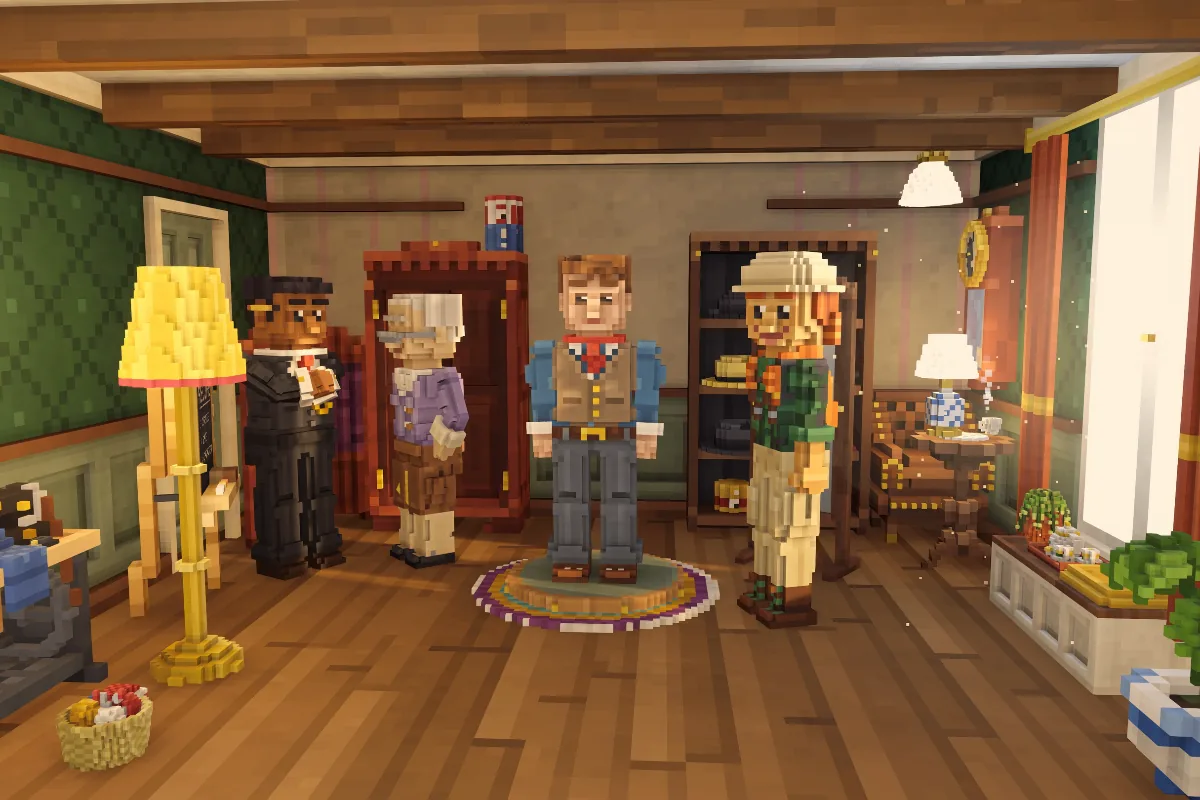
Voxel City: Characters site card: four voxel townsfolk in a furnished hall with wood floors, green wallpaper and a tall yellow lamp. Coming soon

3D · Characters · Humanoids

Voxel City: Characters

Voxel townsfolk and the Character Creator that makes them: 7 ready-made Humanoid characters, 232 pieces in 27 categories, 24 bodies and 91 color ramps. One click writes a game-ready prefab, and the creator runs in your game too.

  • 7Townsfolk
  • 232Pieces
  • 24Bodies
  • 1Draw call

Support

Something not working?

Tell us your Unity version, your render pipeline and what you see. We will help you sort it out.